

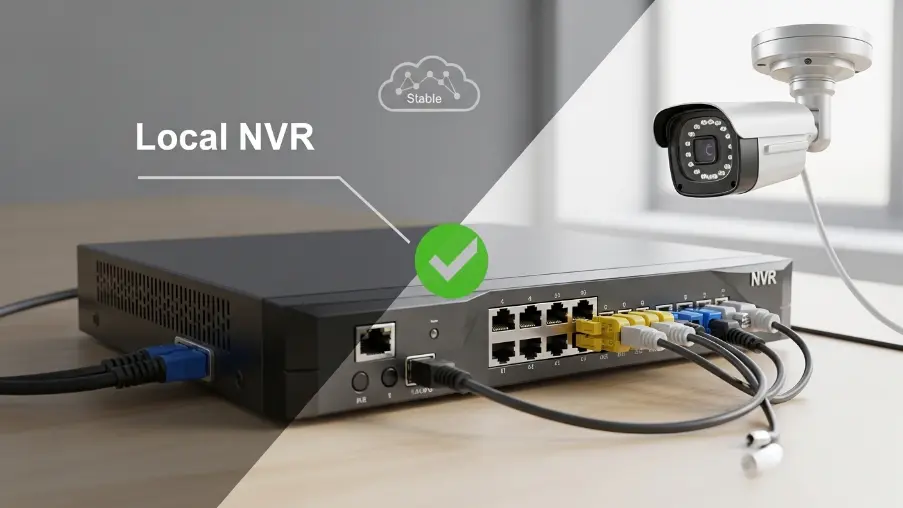
Both systems keep recording during an outage. Cloud cameras store footage locally and sync later, while NVR systems record directly on-site without internet. You only lose remote access and live viewing until the connection is restored.
That gap between recording and remote access matters more than most owners realize. Picture a winter storm cutting your connection just as someone tests your back door.
The wrong setup leaves you blind at the worst possible moment. Because our region sees harsh seasons and uneven uplinks, this risk is real and frequent. So the cloud-versus-NVR decision is really about resilience under pressure.
Read on to learn what actually happens, the hidden risks, and which system fits your property.
What Are Cloud Cameras?
Cloud cameras are internet-connected security cameras that record video and upload it to off-site servers. You then watch live feeds and saved clips through an app or web portal. Platforms such as Verkada built their reputation on this model. No bulky recorder sits inside your building.
The mechanics are simple. First, each camera captures footage and holds it briefly on onboard storage, usually an SD card. Next, that footage streams over your connection to the cloud platform. From there, you get instant alerts, effortless scaling, and remote access from any device, anywhere.
What Is a Local NVR System?
A local NVR, or Network Video Recorder, is a hardware box that stores footage on-site. PoE cameras wire straight into it through a single Ethernet cable. Consequently, your video lives on internal hard drives within your own building. You pay once for the gear, with no recurring cloud fee.
Here is how the recording loop works. Each camera sends its digital signal to the recorder over the cabled network. Wired brands like Ubiquiti suit this on-premise approach well.
The NVR then writes everything to its drives around the clock. On-site, you review footage on a connected monitor; with internet added, that same footage reaches your phone remotely.
What Happens to Cloud Cameras When the Internet Goes Down?
Many owners assume cloud cameras die the instant the connection drops. In reality, the picture is more nuanced. Most modern units keep working, though clear limits apply during the outage.
- Recording continues locally: Cameras with edge storage keep recording video to onboard SD cards or internal memory. As a result, footage is usually preserved even while the internet connection is down.
- Remote viewing stops: You cannot access live video feeds on your phone or app during an outage. The system relies on an active connection to reach cloud servers, so remote monitoring becomes temporarily unavailable.
- Alerts and notifications pause: Motion alerts and security notifications do not reach you while the connection is offline. This means you remain unaware of events until the internet service is restored.
- Footage syncs after reconnection: Once connectivity returns, most cameras automatically upload stored footage to the cloud. Some systems, such as Verkada, can retain extended periods of onboard video specifically for outage recovery scenarios.
- Pure cloud cameras stop cold: Cameras without any edge storage do not record during an outage. In those cases, any activity that occurs while the internet is down is permanently lost.
What Happens to NVR Systems When the Internet Goes Down?
A local NVR barely registers an outage. Recording does not depend on the internet at all. Instead, your footage stays safe on the drives regardless of what your provider does.
- Recording never stops: The NVR continues saving video from all connected cameras directly to its hard drives. The internet connection does not play any role in the core recording process.
- Local viewing still works: You can still access and review footage on-site using a connected monitor or local interface. The system remains fully functional within your internal network.
- Only remote access drops: Mobile apps and off-site viewing stop working until the internet is restored. However, all recordings continue to be captured normally in the background..
- No footage gap forms: All activity is recorded in full resolution without interruption. This is why many warehouses, retail stores, and high-traffic sites prefer local NVR storage for reliability.
- The recorder is the weak point: While the system keeps recording, physical damage or theft of the NVR can still result in data loss. Proper secure placement and backup storage help close this vulnerability.
Note:
Whether you’re using cloud cameras or NVR systems, real security depends on proper setup, backup planning, and failure protection. Explore our security cameras installation service to get a professionally designed surveillance system built to keep your footage safe in every situation.
Read More: Verkada vs. Traditional NVR Systems: Which Security Solution Is Better?
What Are the Risks of Losing Internet in Security Systems?
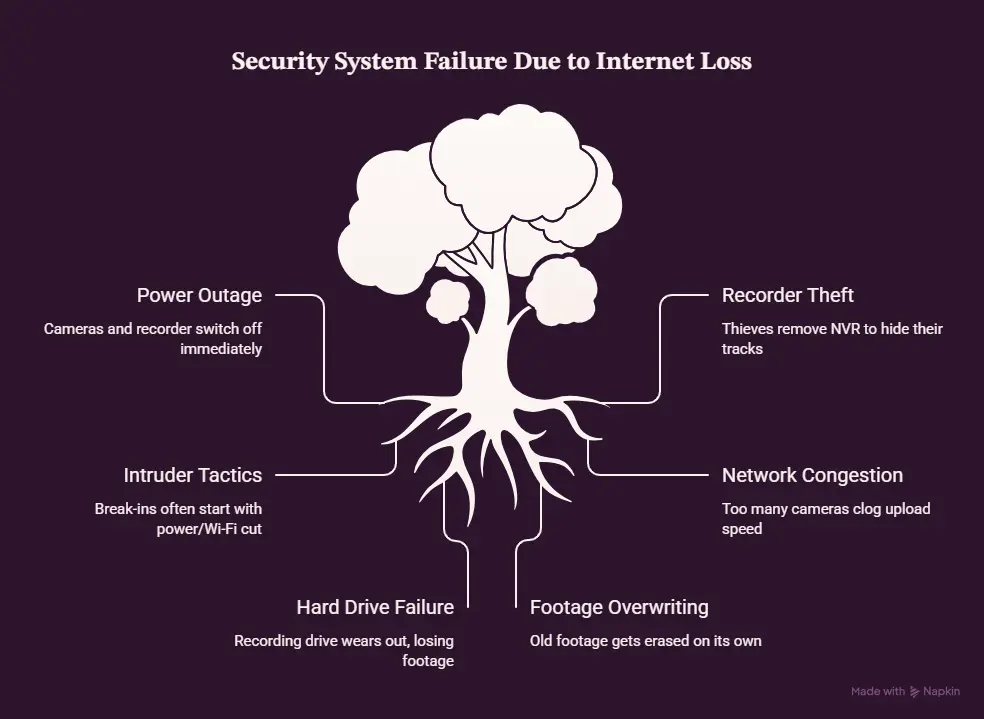
A power cut takes everything down
No power means your cameras and recorder switch off right away. A UPS battery backup keeps an 8-channel system running for two to eight hours, which is enough to ride out most short outages around here.
Thieves take the recorder to hide their tracks
When a burglar spots the NVR, they often grab it so there’s no footage left. Mount it high, out of sight, and locked away, then back everything up to the cloud so the video is safe no matter what.
Break-ins often start with the power or Wi-Fi
A lot of intruders cut the electricity or knock out the Wi-Fi before they make a move. Cameras that record to an SD card keep going anyway, and with a battery backup behind them, nothing gets missed.
Too many cameras can clog your connection
Sixteen cameras at 1080p need about 25 to 50 Mbps of upload speed, and 4K needs even more. Most business internet here is fast to download but slow to upload, so feeds drop. Good network cabling and proper planning sort that out.
Hard drives wear out
A drive recording around the clock usually lasts just two to three years. When one dies, weeks of footage can vanish in seconds, so RAID or a cloud copy is worth having.
Old footage gets erased on its own
Every recorder records in a loop, writing over the oldest clips once the drive is full. Set it too short and an important moment is gone before you look. Match the drive size to your cameras and how long you need to keep footage.
Cloud Cameras vs Local NVR: Which System Is Right for Your Business?
The right choice tracks your property, your connection, and your budget. There is no universal winner here. Instead, match the system to how your business runs each day.
Choose Cloud Cameras If:
- You manage several sites, such as a chain of office locations, from one dashboard.
- You travel often and rely on dependable remote access.
- You prefer no on-site hardware to maintain.
- You expect to scale cameras as the business grows.
- Your connection is fast, stable, and strong on upload.
Choose NVR Systems If:
- You run a single site, like a retail store or warehouse.
- You want zero monthly subscription fees.
- Your internet runs slow, patchy, or unreliable.
- You need many cameras recording continuously.
- You want footage to stay inside the building for privacy.
Read More: Commercial Security System Cost in the GTA: A Full 2026 Breakdown
Can You Use Both? Hybrid & Cloud-Backup Systems
Yes, and this approach removes the trade-off completely. A hybrid system records to a local NVR while backing up key footage to the cloud. So you gain on-site recording that survives outages, plus off-site copies that survive theft.
Consider a Toronto retailer that keeps 24/7 local footage yet pushes flagged clips to the cloud each night. Even if a thief walks off with the recorder, the evidence never disappears. For multi-site operators especially, this blend balances control and convenience neatly.
To Conclude
So the cloud cameras vs local NVR question really comes down to your priorities. Cloud wins on remote access; the NVR wins on guaranteed local recording; hybrid delivers both. For most businesses across our storm-prone region, on-site recording paired with cloud backup is the safest bet.
Still weighing your options? A quick on-site assessment from our commercial CCTV team will match the right setup to your property, fast.
Frequently Asked Questions
Do security cameras work without the internet?
Yes. Cameras with onboard storage, or any NVR, keep recording without internet. Only remote viewing and phone alerts pause during the outage.
Does an NVR record without internet?
Yes. An NVR saves all cameras to its hard drives with no internet whatsoever. The connection is needed solely for off-site remote access.
Can I view my security cameras if the internet is down?
Locally, yes. Use the monitor wired to your NVR on-site. Remote phone viewing resumes the moment your connection is restored.
Can someone steal my footage by taking the recorder?
With a local-only NVR, yes. A thief who grabs the box takes the footage with it. Cloud or hybrid backup keeps a safe copy off-site.
Do cloud cameras use a lot of internet bandwidth?
They can. Each camera may consume 0.5 to 1 Mbps continuously. Several cameras together can strain a typical business connection.