

For most multi-site businesses, Verkada wins on remote management and security. For a single location on a tight budget, a traditional NVR system still does the job for less.
That’s the short version. But the real answer depends on how your business runs day to day. If you’re protecting one warehouse, your needs look nothing like a retail chain watching twelve stores from a phone. Commercial break-ins across the region keep climbing, and insurers now ask harder questions about footage retention. Picking the wrong system means paying twice, or worse, missing the clip you needed.
So before you sign anything, it pays to know what truly separates these two setups. Read on to see how they stack up, where each one fits, and which one earns its price.
Verkada vs. Traditional NVR Systems: Side-by-Side Comparison Table
These ten factors settle most commercial decisions, so if you’re short on time, this is the part to study before reading further.
| Factor | Verkada (Hybrid Cloud) | Traditional NVR |
| Upfront cost | Higher per camera | Lower per camera |
| Ongoing cost | Annual or multi-year licence per camera | Minimal (drive swaps, repairs) |
| Ownership | You own cameras; platform needs active licence | You own everything outright |
| Internet needed? | Yes for remote access; cameras record onboard during outages | No, records locally always |
| Remote access | Built in, any device | Needs VPN or port setup |
| Storage | On-camera plus cloud | Local hard drives only |
| Security updates | Automatic, over-the-air | Manual, requires scheduled patching |
| Multi-site management | One dashboard, all sites | Each site is separate |
| Maintenance | Mostly hands-off | Owner-managed recorder upkeep |
| Best fit | Multi-site, growth, low IT overhead | Single site, fixed budget, full control |
What Is Verkada?
Verkada is a hybrid cloud security camera platform built for businesses. The cameras record footage onboard and sync to the cloud, so there’s no separate recorder or server sitting in your building.
Here’s how it actually works. Each camera stores video on its own internal drive and streams a copy to Verkada’s cloud platform, called Command. Data is processed and stored both on the camera and securely in the cloud, enabling advanced analytics and the ability to manage from almost anywhere.
You log in from a browser or phone, pull up any camera, and search footage in seconds. If you want this system set up properly, our Verkada camera installation service covers the full deployment.
Key Features
What you get with a Verkada setup:
- Onboard plus cloud storage that keeps a local copy and a cloud backup on every camera, so footage survives a dropped connection.
- AI-powered search that finds a person, vehicle, or licence plate across cameras without scrubbing through hours of video.
- Automatic updates that install firmware and security patches over-the-air, with no site visit needed.
- One dashboard for every site, so you manage all your locations from a single login.
- Unlimited users, letting you add staff or managers without per-seat fees.
What Is a Traditional NVR System?
A traditional NVR (Network Video Recorder) system uses IP cameras wired to an on-site recorder. That recorder stores all your footage locally on hard drives, right there in your building.
Here’s how it works in practice. IP cameras connect to the recorder over Ethernet, and with Power over Ethernet, a single cable delivers both power and data to each camera. The cameras send video to the NVR, which writes it to its drives. To watch footage, you use a connected monitor on-site, or set up remote access through your network.
Key Features
What a traditional NVR system brings to the table:
- Local recording that keeps footage on drives in your building, never leaving the premises.
- Offline operation, so the system keeps recording even if your connection drops entirely.
- One-time purchase, meaning you buy the gear once and own it, with no recurring licence.
- PoE wiring, where one cable per camera handles power and data and keeps installs tidy.
- Custom retention, letting you set how long to keep footage within your drive capacity.
Read More: Axis vs Hikvision vs Ubiquiti Security Camera: Which Brand Is Right for Your GTA Business?
Verkada vs Traditional NVR: Key Differences
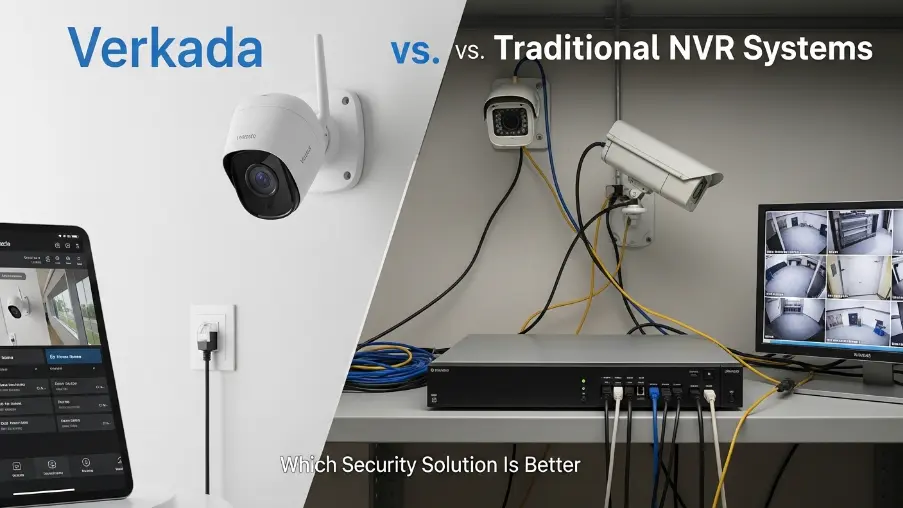
Both systems record video and protect your property. The real difference lies in where footage lives, who maintains the system, and how it grows with you. Here’s where they split.
1. System Architecture
Verkada:
With Verkada, there’s no central recorder at all. Each camera acts as its own mini-recorder with a built-in drive, while the cloud ties everything together. As a result, you have one fewer box to fail and no server closet to power and cool.
Traditional NVR:
On the other hand, a traditional setup runs on a hub-and-spoke design. Cameras feed one central recorder that handles the storing. It’s a proven layout, yet if that single recorder dies, every camera connected to it goes dark with it.
2. Installation & Setup
Verkada:
Setup moves fast because there’s no recorder to rack or configure. Cameras mount, join your network, and appear in the dashboard within minutes. Even so, clean placement and proper wiring still decide how well the system performs, which is the part our security camera installation team handles on-site.
Traditional NVR:
A traditional install asks for more planning upfront. The recorder needs a permanent home, drives need sizing to your retention goals, and every camera runs a cable back to that one spot. Because the whole system leans on those runs, dependable network cabling is what separates a tidy, reliable setup from a troubleshooting headache later.
3. Remote Access
Verkada:
Remote viewing comes built in. Log in from any phone or laptop, and you’re watching live footage with no extra steps. For a business owner checking several sites between meetings, that convenience is the entire selling point.
Traditional NVR: Getting the same access from an NVR takes deliberate setup. Secure remote access requires complex configuration, typically a VPN or port forwarding. It works reliably once it’s done, and a strong access point setup keeps that connection stable, though it’s more moving parts to manage over time.
4. Storage Model
Verkada:
Footage lives in two places at once, on the camera and in the cloud. If your internet drops, the camera keeps recording locally and uploads the gap once you’re back online. Either way, you stay covered.
Traditional NVR:
All your video sits on local drives in the recorder. That’s strong for privacy and speed, but it puts everything in a single basket. An NVR can be stolen, damaged in a flood, or destroyed in a fire, and footage goes with it unless you’ve added backup.
5. Maintenance
Verkada:
Upkeep stays mostly hands-off. Automatic updates ensure security patches and system upgrades are applied, keeping cameras current with the latest cybersecurity measures. There are no drives to swap and no patches to track manually.
Traditional NVR:
A traditional system needs active upkeep. Drives wear out and require replacement, firmware needs manual patching, and that work has to be scheduled and followed through. Systems that depend on someone remembering to apply security patches leave known vulnerabilities exposed for months.
Read More: Starlink for Construction Sites in Ontario: Does It Actually Work?
6. Video Quality & Performance
Verkada:
Image quality is strong, and the standout is performance rather than resolution alone. On-camera processing means AI search and alerts run fast, and you get smooth playback from anywhere. The trade-off is bandwidth, which we’ll cover below.
Traditional NVR:
Picture quality holds up just as well, since modern IP cameras shoot 4K on either system. Quality comes from the camera, not the architecture. Playback on the local network is instant with zero lag, though advanced analytics often cost extra and lean on the recorder’s processing power.
7. Security & Data Protection
Verkada:
Cloud security with automatic patching is the clear strength here. Cameras update themselves over-the-air, so known flaws close quickly without anyone lifting a finger. The honest trade-off is that footage sits on third-party servers, which can be a sticking point for healthcare, legal, or financial firms bound by strict data rules.
Traditional NVR:
This is where lower-cost hardware can create security risks if not properly managed. Many budget cameras paired with NVR systems may ship with weak default passwords or outdated firmware that is not regularly updated. If the system is not properly secured and maintained, it can become vulnerable to unauthorized access over time.
The overall security and performance depend heavily on proper installation, strong password practices, firmware updates, and ongoing system maintenance.
8. Scalability Comparison
Verkada:
Growth is the easy part. Add a camera, add a licence, and it shows up in the same dashboard. One login covers every location, which is exactly why chains and multi-site operators lean this way.
Traditional NVR:
Scaling means repeating yourself. Each new site needs its own recorder, and managing many of them gets messy fast. One 40-site retail chain discovered 11 NVR boxes had failed drives that nobody knew about, with footage gaps stretching back months, found only during an insurance claim.
9. Cost Comparison: Verkada vs NVR
Verkada:
You pay more upfront and a recurring licence per camera, yet the all-in price stays predictable. There are no separate NVR servers, storage arrays, or VMS licences to buy, since everything is included in the camera and licence cost. For a typical 50-camera deployment, traditional systems can cost $15,000 to $30,000 more in NVR infrastructure alone over five years.
Traditional NVR:
For smaller setups, local wins on cost. A typical 8-camera system runs roughly $2,450 to $4,950 over five years with local storage, compared to $14,300 or more for cloud subscriptions. The catch is the hidden costs, like drive replacements, IT labour, and repairs that don’t show up on the first invoice.
Pros and Cons of Verkada vs. Traditional NVR Systems
Advantages of Installing Verkada
Where Verkada stands out:
- Manage every camera and site from one dashboard, anywhere.
- Find any person, vehicle, or plate in seconds with AI search.
- No on-site recorder means one less thing to fail.
- Security patches install automatically, with no service call.
- Add cameras or sites by simply adding a licence.
Advantages of Installing Traditional NVR Systems.
Where a traditional NVR wins:
- Lower upfront and long-term cost for a single site.
- Keeps recording even when the internet drops.
- You own the whole system outright, with no licence.
- Footage stays inside your building for full privacy.
- Local playback loads instantly with zero lag.
Things To Consider of Installing Verkada
Weigh these before choosing Verkada:
- Licence fees recur for the life of the system.
- Each HD camera needs steady upload bandwidth.
- Footage is stored off-site in the cloud.
- A long outage can still leave coverage gaps.
Things To Consider of Installing Traditional NVR Systems
Keep these in mind with a traditional NVR:
- Upkeep, drives, and patching rest with the owner.
- Remote access takes setup and ongoing care.
- One recorder is a single point of failure.
- Cheap cameras carry real security risk.
Read More: Security Camera Laws in Ontario: What Every Business Must Know Before Installing
Verkada vs. Traditional NVR Systems: Which System Is Best For?
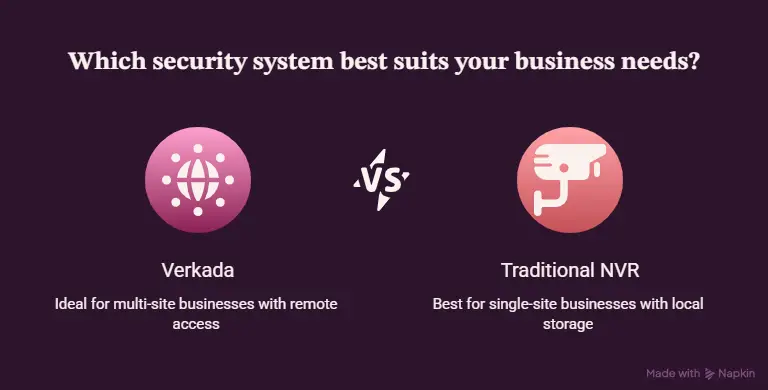
The right system depends on how many locations you run, how tightly you watch your budget, and how much you value remote control. Match it to the way your business actually operates, and the choice gets clear quickly.
Choose Verkada if you:
- Run multiple sites or plan to grow into more.
- Want to watch every location from one dashboard. A retail chain setup is a perfect example.
- Prefer hands-off security with automatic updates.
- Value fast AI search over manual footage review.
- Have reliable internet and steady upload bandwidth.
Choose a traditional NVR if you:
- Operate a single location, like one office or storefront.
- Want the lowest total cost over the system’s life.
- Need recording that keeps running through internet outages, which suits many construction sites.
- Must keep all footage inside your building for privacy reasons.
- Prefer to own everything outright with no recurring fees.
Conclusion
Choosing between Verkada vs. traditional NVR systems comes down to fit, not hype. Verkada rewards businesses that value remote control and low upkeep. A traditional NVR rewards those who want full ownership at a lower cost.
Our advice is simple: don’t pick on price alone, pick on how you’ll use it daily. Want a straight recommendation for your property? Get in touch with our team and we’ll assess your site and install the system that genuinely fits.
FAQs
Can you use a Verkada camera without a subscription?
Not really. The hardware records basic video, but cloud storage, analytics, and remote access need an active licence.
How long do security cameras keep footage?
Most commercial systems store footage for 30 to 90 days, depending on your drive size or cloud plan. Many insurers expect at least 30.
Is cloud video surveillance safe from hacking? It’s strong, thanks to automatic patching, though no system is fully bulletproof. The bigger risk is unpatched budget cameras on local setups.
Do I need a new NVR if my Hikvision system is affected by the ban? Your existing cameras still work, but support and warranty are limited in Canada. We can help you plan a switch to a supported brand when you’re ready.
What internet speed do I need for cloud cameras? Budget around 2 to 4 Mbps upload per HD camera. We run a bandwidth check before any commercial camera install so there are no surprises.