

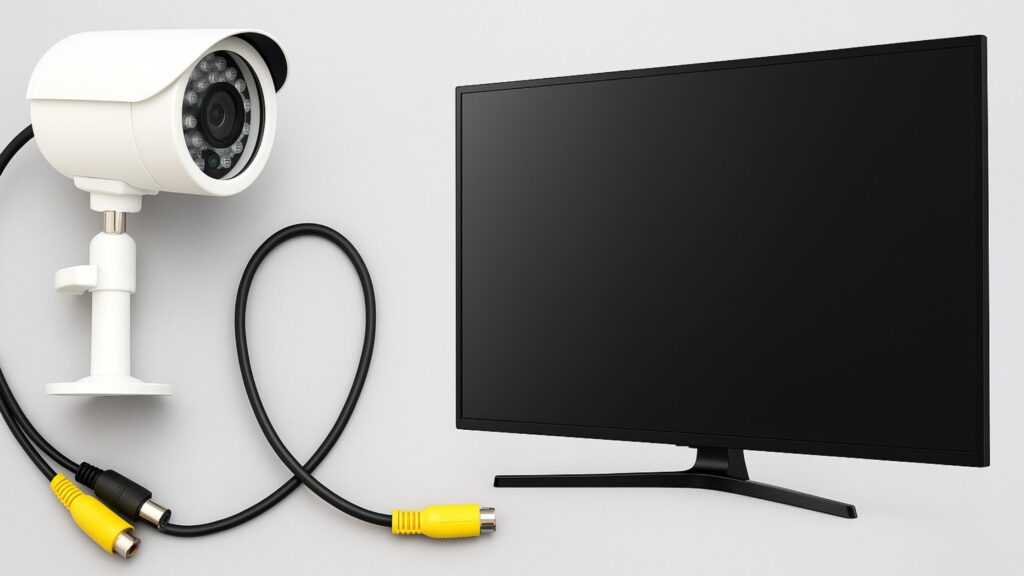
Many homeowners and business owners ask, “How to connect CCTV camera to TV without DVR?” While DVRs and NVRs are commonly used, you can display a live feed directly on your TV without extra hardware. This guide explains the process, necessary equipment, and benefits of connecting CCTV cameras directly to a TV.
At Sense Group, we provide professional CCTV installation services in Toronto, Barrie, Milton, Kitchener, and Caledon, helping clients set up efficient, cost-effective security systems for homes and businesses.
What Types of CCTV Cameras Can Be Connected to a TV Without DVR?
Not all CCTV cameras support direct connection to a TV. Typically, these cameras include:
- Analog CCTV cameras: Can connect via RCA or BNC cables directly to a TV with composite or HDMI input using a converter.
- IP cameras: Require an HDMI converter or compatible smart TV with RTSP/ONVIF support.
- Wireless cameras: Connect via Wi-Fi to a media player or smart TV app for live streaming.
Using the right type of camera is essential for a stable live feed. For more guidance, see our CCTV surveillance solutions.
Step-by-Step Guide to Connect a CCTV Camera to a TV Without DVR
1. Determine the Camera Type
Check whether your camera is analog, IP, or wireless. This determines the cables or adapters you will need.
2. Choose the Right Connection Method
- RCA or BNC: Common for analog cameras. Use an RCA-to-HDMI converter if your TV only has HDMI ports.
- HDMI Output: Some cameras have built-in HDMI ports for direct TV connection.
- Wi-Fi or IP Camera: Connect to a smart TV via the camera’s app or a compatible streaming protocol like RTSP.
3. Connect Cables to TV
- For RCA/BNC: Plug into TV’s AV input or use an adapter to HDMI.
- For IP/Wi-Fi cameras: Install the camera’s app on a smart TV or streaming device.
4. Power On Cameras
Ensure cameras are powered using the included adapter or PoE (Power over Ethernet) setup.
5. Configure the TV Input
Switch your TV to the correct input channel (HDMI, AV, or app stream).
6. Test Live Feed
Verify that the video is clear and the camera covers the desired area. Adjust camera angles if needed.
For professional installation and optimized camera placement, our team provides CCTV camera installation services in Toronto and other Ontario locations — including expert industrial security camera installation for warehouses, factories, and large-scale facilities requiring durable, high-coverage surveillance systems.
Benefits of Connecting CCTV Cameras Directly to a TV
Connecting CCTV cameras to a TV without a DVR offers several advantages:
- Cost Savings: Eliminates the need for a DVR or NVR system.
- Real-Time Monitoring: View live surveillance instantly on your TV.
- Simplified Setup: Fewer devices, cables, and complex configurations.
- Flexibility: Suitable for temporary setups, small businesses, or home monitoring.
- Integration with Smart TVs: Some IP cameras can stream directly via apps, giving high-definition viewing on your existing TV.
This method is ideal for homeowners in Milton or business owners in Barrie who want a cost-effective surveillance solution without investing in additional hardware.
Do You Need Special Adapters or Converters?
Yes. Depending on your TV and camera type, you may require:
- RCA to HDMI Converter: Converts analog camera output to HDMI for modern TVs.
- BNC to HDMI Adapter: Needed for CCTV cameras with BNC outputs.
- PoE Injector or Switch: For IP cameras that use Ethernet for power and data.
- Streaming Device or App: For IP or Wi-Fi cameras to connect with smart TVs.
Our team at Sense Group can recommend the best adapters and converters during installation to ensure stable, high-quality video.
Can I Connect Multiple CCTV Cameras to One TV Without DVR?
Yes, but it depends on your setup:
- HDMI Splitters: Allow multiple cameras to share one TV input.
- Video Switchers: Let you toggle between multiple camera feeds.
- Smart TV Apps: IP cameras can be streamed simultaneously using multiple app streams.
We recommend professional guidance to avoid signal degradation and ensure all cameras are monitored effectively. Learn more about our high-definition CCTV installation services.
Common Mistakes to Avoid When Connecting CCTV to TV
- Using the wrong cable type for your camera (RCA vs HDMI).
- Ignoring camera resolution – low-resolution cameras may produce poor-quality images on HD TVs.
- Incorrect TV input selection, causing no feed to display.
- Not powering cameras correctly, especially for PoE cameras.
- Attempting DIY setup without proper knowledge of adapters or smart TV compatibility.
Our experts in Toronto, Kitchener, and Caledon ensure your CCTV is connected correctly and securely.
Areas We Serve
Sense Group provides CCTV camera setup, installation, and direct-to-TV solutions across Ontario, including:
We also provide installation services for homes, small businesses, warehouses, and rural properties.
Related Services You Might Need
- CCTV Camera Installation
- Smart Security Camera Setup
- Video Doorbell Installation
- Network Cabling Services
- Starlink Internet Installation for remote monitoring
When to Call Sense Group
Call Sense Group if you want professional assistance with connecting CCTV cameras to a TV without DVR. Our services include:
- Full setup of analog, IP, and wireless CCTV cameras.
- Proper cable and adapter selection for seamless connection.
- Optimized camera placement to maximize coverage.
- Integration with smart TVs or streaming devices.
- Legal and safe installation compliant with Ontario privacy laws.
Book your consultation today to simplify your surveillance system setup and ensure reliable, high-quality monitoring.