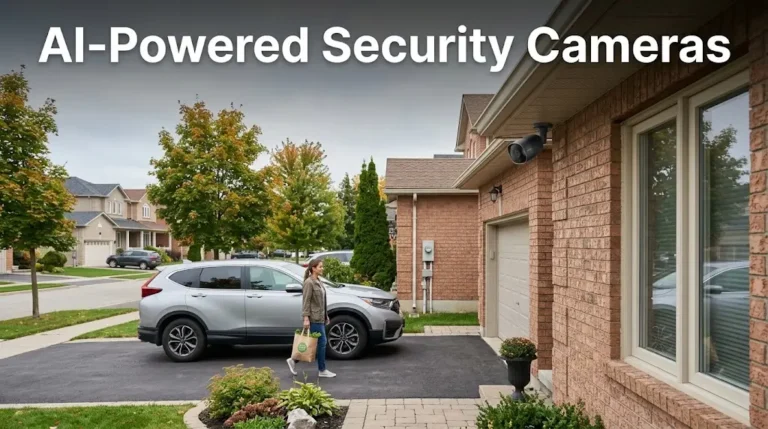
Yes. Many modern security cameras record audio alongside video. Whether yours does comes down to two things: does the camera have a built-in microphone, and is audio recording switched on in the settings. Newer IP cameras usually treat sound as a standard feature. Older analog setups almost always need a separate microphone wired straight to the recorder.
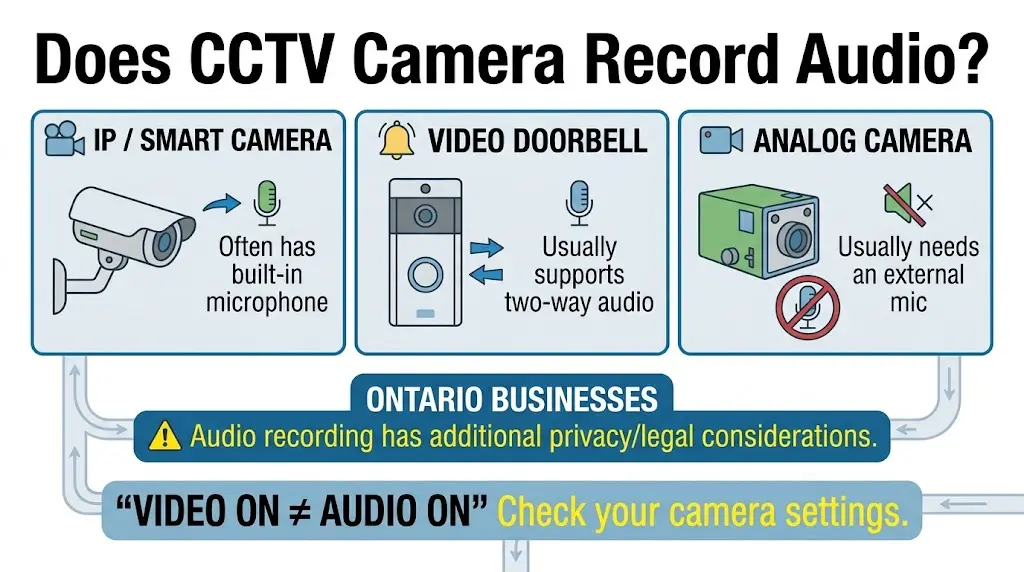
For a business in Ontario, though, the bigger question isn’t whether your camera can record voice. It’s whether it should. Audio is treated very differently from video under Canadian law, and the gap between the two catches a lot of owners off guard.
| Camera Type | Audio Capability | Typical Application |
| IP / Smart Cameras | Frequently ship with built-in microphones and two-way talk. | Modern commercial offices, retail shops, and warehouses. |
| Video Doorbells | Two-way audio is an industry standard on nearly every model, which is why we cover it during video doorbell and intercom installs. | Main entrances, reception doors, and delivery zones. |
| Traditional Analog (CVBS) | Rarely have built-in audio. Sound needs a separate external mic wired to the DVR. | Older commercial properties and budget-focused setups. |
| Dome & Bullet Cameras | Varies widely by model. High-end versions support internal or external mics; standard versions stay video-only. | Warehouses, parking lots, and general perimeter coverage. |
How to Tell if Your System Has Audio
Three quick checks will tell you what you’re working with:
- Look for a microphone hole. Inspect the camera housing up close. Cameras with built-in audio usually have a small pinhole near the lens. If the front casing is solid glass or plastic with no opening, it almost certainly has no mic.
- Check the recorder settings. Open the mobile app or the recording menu. If the camera supports sound, you’ll see an “Audio Recording” toggle or a microphone icon on the live feed. Where that setting lives depends on whether you’re running cloud storage or a recorder onsite.
- Read the spec sheet. Look up the exact model number. Terms like “two-way audio,” “built-in mic,” or “audio input” confirm the camera is built for sound.
Is Audio Recording Legal in Ontario?
Canada is a one-party consent country. Under section 184(2)(a) of the Criminal Code, you can lawfully record a conversation you’re part of without telling anyone else. That rule is federal and works the same way in every province and territory. There is no such thing as a “two-party consent province” in Canada.
Here’s the part that trips up business owners. A fixed CCTV camera is not a participant in anyone’s conversation. It sits on a wall and passively picks up whatever gets said near it, including conversations between two other people. Section 184(1) makes it an offence to wilfully intercept a private communication using an acoustic device, and the maximum penalty on indictment is five years.
So recording a call you’re on is one thing. A camera above your loading dock capturing two staff members talking to each other, with nobody’s consent, is a very different situation.
What Ontario Businesses Also Need to Cover
PIPEDA applies to the personal information your cameras collect in the course of commercial activity. Audio is more invasive than video and much harder to justify, so you need a genuine reason for capturing it. “The camera came with a mic” isn’t one. There’s more detail on this in our guide to what Ontario law asks of business cameras.
Ontario employers have one more box to tick. Under Part XI.1 of the Employment Standards Act, any employer with 25 or more employees in Ontario on January 1 needs a written electronic monitoring policy in place by March 1 of that year. The policy has to state whether you monitor employees electronically, describe how, and explain what you do with the information.
Where Audio Recording Crosses the Line
A camera is on shaky ground any time it records sound somewhere people reasonably expect privacy. Washrooms, change rooms, and staff break rooms are the obvious ones. Private offices are the one people forget, and it’s worth sorting out at the design stage on any office camera system we install in Toronto.
Clear signage stating that both video and audio surveillance are in use helps. It supports transparency and puts people on notice before they walk in. It is not a magic shield, though, and it won’t cure a mic pointed at a break room.
None of this is legal advice. If you’re unsure how the rules apply to your property, talk to a lawyer before you switch the microphone on.
The Short Version: Leave the Mic Off Unless You Need It
On almost every system, audio and video are separate settings. You can keep full video recording and disable the microphone entirely. For most commercial camera systems for GTA businesses, that’s the sensible default. Turn audio on deliberately, in a specific spot, for a specific reason, with signage to match.
Not sure what your current cameras are picking up? We’ll audit the system, show you which units have live mics, and set the toggles properly. Get a free on-site system review and we’ll sort it out before it becomes a problem.